Install
The download page detects your system. Confirm the processor if needed, or expand all versions to download for another computer.
- macOS:Open the DMG and drag DiskCollie into Applications.
- Windows:Open the EXE and follow the installer.
- Linux:Make the AppImage executable to run it. Debian / Ubuntu can also use the DEB.
Scan
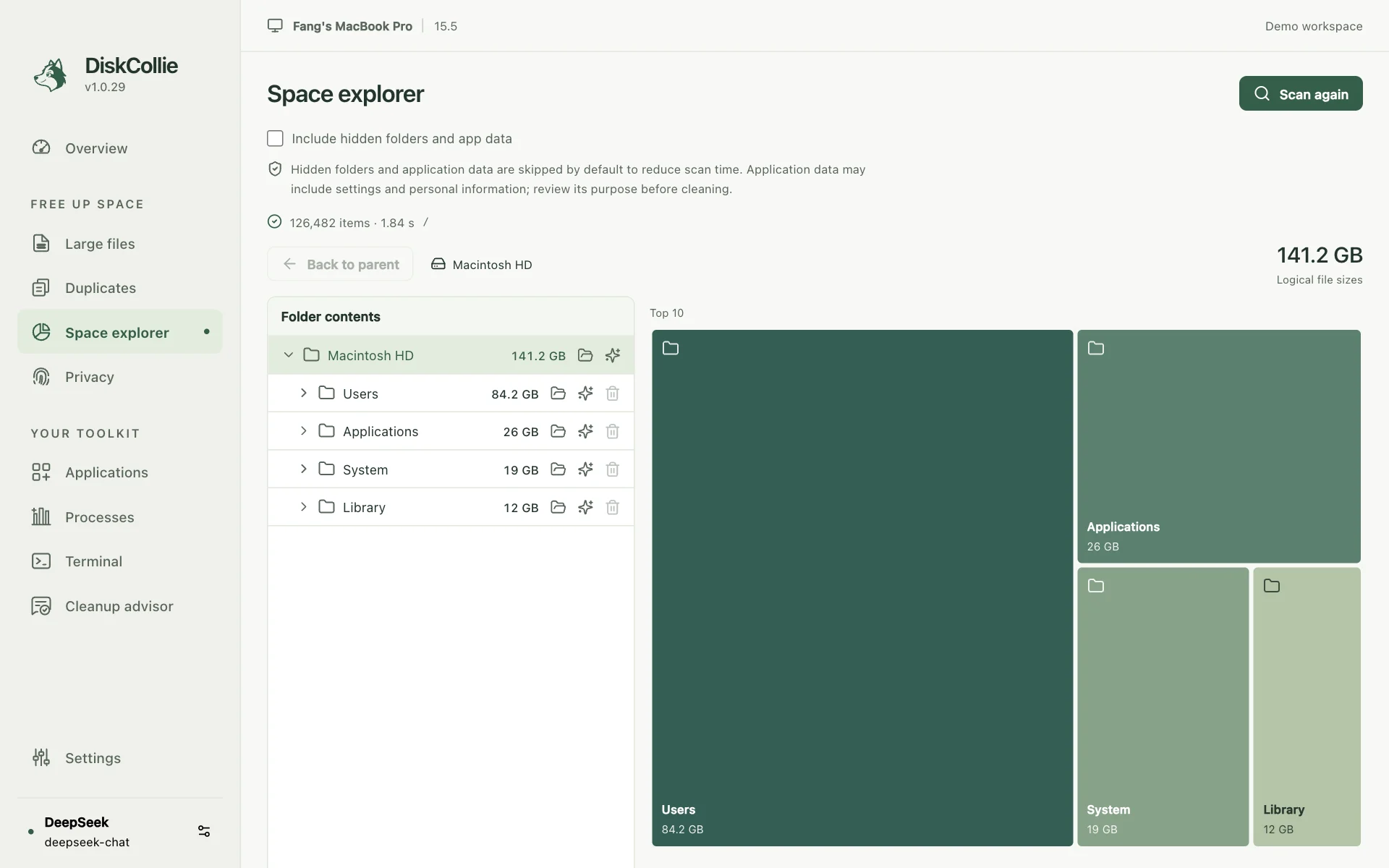
Open Space analyzer to explore storage by folder or map. You can also scan large files, duplicates, or privacy records separately. Scans can be cancelled.
Hidden and protected locations are skipped by default. Adjust scan options or excluded directories in Settings. Grant permissions and rescan unreadable sources if needed.
Review and clean up
- Check paths, sizes, and purpose. Open a file’s location or ask AI when unsure.
- Select items you no longer need. Keep at least one copy per duplicate group.
- Read the confirmation and distinguish Trash from permanent cleanup before proceeding.
Space analyzer file actions are in directory rows. Files in Trash still use space; empty it yourself after review. Some privacy cleanup cannot be undone.
Project folders and protected paths
Reviewed project folders may include uninstalled .app runtimes, build outputs, and ASAR archives. Installed apps, credentials, excluded paths, and changed directories remain protected. Keep backups of important data.
Tools
- Large files: Filter by name, type, and size; review before moving to Trash.
- Duplicates: Find files of at least 10 MiB, verify contents, and retain at least one copy per group.
- Privacy: Preview records locally and quit browsers before cleanup. Sensitive categories require explicit selection.
- Apps: Review app sizes, usage, and related files before uninstalling. System apps and DiskCollie are protected.
- Processes: Inspect CPU or memory usage and close apps you no longer need.
- Terminal (macOS): Inspect shell startup and PATH. Changes are backed up and require confirmation.
Optional AI
Core tools need no AI. To use the advisor, add your provider, URL, key, and model in Settings. Your provider may charge usage fees.
Explicit AI requests send necessary file metadata or maintenance context. Privacy previews stay local. Privacy
Updates and verification
Check for updates in the app or download the latest release here. If installation fails, verify the source and SHA-256 on the download page.
SHA-256 commands
# macOS
shasum -a 256 DiskCollie-*.dmg

# Windows PowerShell
Get-FileHash .\DiskCollie-*.exe -Algorithm SHA256

# Linux
sha256sum DiskCollie-*.AppImage